

TL;DR:
- Digital print signage refers to screen-based digital displays presenting dynamic multimedia content for branding and information.
- It relies on a content management system and appropriate hardware to enable instant updates and flexible communication.
- Successful deployment depends on operational planning, content management, and integrating both digital and physical signage strategies.
Digital print signage is the use of screen-based digital displays to present dynamic, updatable multimedia content for promotional, informational, and branding purposes. The term blends two distinct concepts that are frequently confused: “digital signage,” which refers to electronically controlled display networks, and “digital printing,” which is the process of printing images directly onto physical materials like banners or posters. Understanding the difference matters because the technology you choose, the budget you need, and the results you get are fundamentally different. This guide covers what digital print signage actually means, how the systems work, and what businesses need to know before investing.
What is digital print signage and how does it work?
Digital print signage, in standard industry usage, refers to digital signage — screen-based display systems that show multimedia content including images, video, streaming media, text, and interactive applications. The phrase “digital print” in this context describes the visual output on a screen, not ink applied to a substrate. Retailers, hospitals, airports, and corporate offices all use these systems to replace or supplement static printed signs with displays that can be updated remotely and instantly.
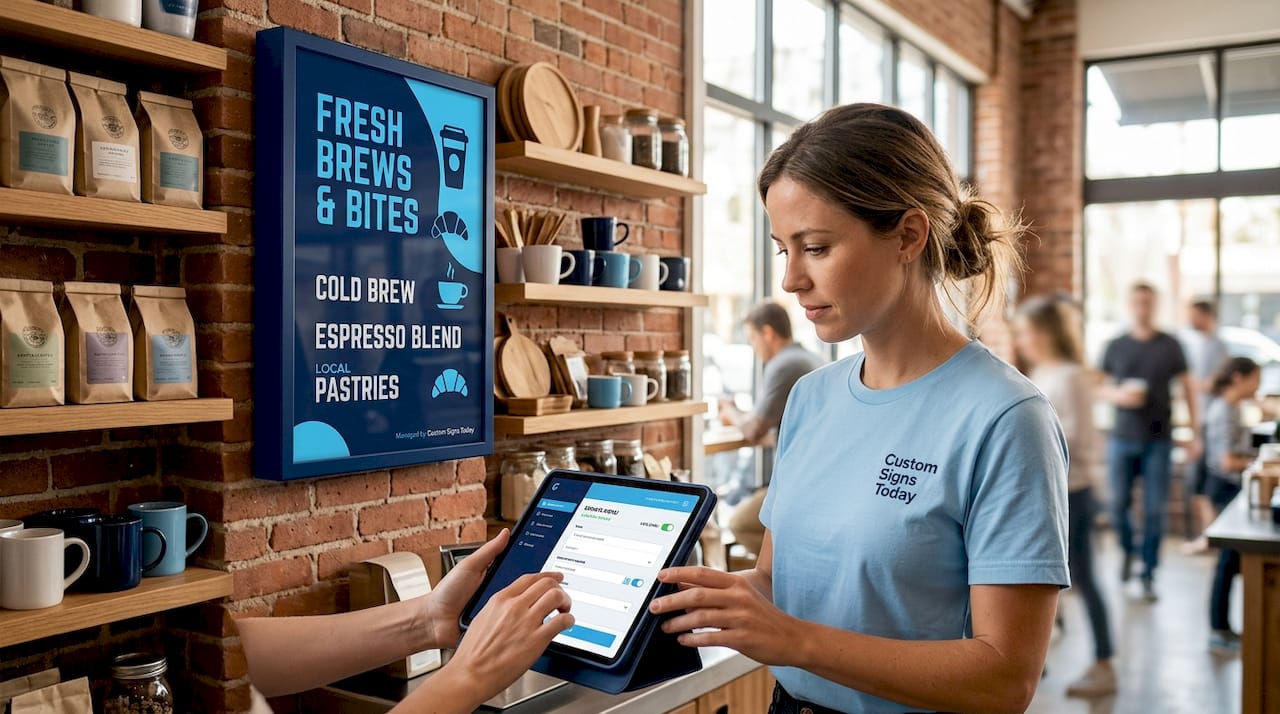
The core mechanism is straightforward. A media player or smart display connects to a Content Management System (CMS), which schedules and pushes content to one screen or thousands simultaneously. A restaurant chain, for example, can update its menu boards across 200 locations from a single dashboard without printing a single sheet of paper. That operational shift is what makes digital signage technology genuinely different from anything print-based.
Digital signage content can range from a simple looping image to a live data dashboard pulling real-time inventory numbers from a point-of-sale system. The flexibility of the format is the product. Once you understand that, the investment case becomes much clearer.
What components make up a digital signage system?
A complete digital signage setup has three core layers, and each one affects performance, cost, and scalability.
Hardware (displays and players)
- LCD panels and LED video walls are the most common display types for indoor environments.
- Outdoor installations require displays rated at 3,500 nits or higher with IP-rated weatherproof enclosures to handle sunlight and rain.
- Media players (dedicated devices like BrightSign units or built-in SoC chips) run the content locally and communicate with the CMS.
- Mounting hardware, cabling, and network infrastructure complete the physical installation.
Content Management System (CMS)
The CMS is the operational center of any digital signage network. It handles content scheduling, user permissions, playlist management, and integration with external data sources. Platforms like Korbyt, ScreenKeep, and BrightSign’s cloud tools each approach multi-screen management differently, but all share the same function: giving operators control without requiring physical access to each screen. In multi-location deployments, the CMS is what makes centralized management possible.
Content and media
Content is what the audience actually sees. Advanced CMS platforms support live data bindings, RSS feeds, and media playlists that update automatically without manual intervention. A hospital lobby display might show live wait times pulled from an EMR system alongside health tips and wayfinding maps, all managed from one content template. That kind of dynamic output is impossible with printed signage and is the clearest demonstration of what digital signage solutions offer over static alternatives.
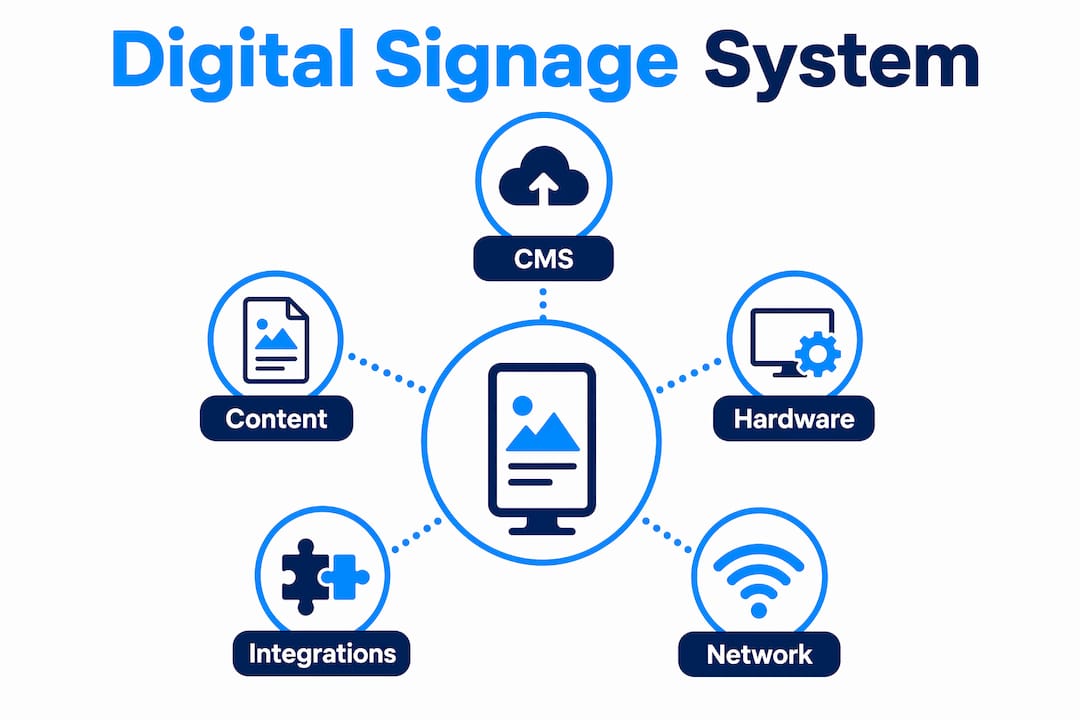
Backend integrations
Connecting digital signage to POS systems, analytics platforms, or scheduling software unlocks real operational value. A retail store that links its signage CMS to its inventory system can automatically pull a promotion for a product that is overstocked and remove it the moment stock clears. That level of automation turns signage from a passive display into an active business tool.
How does digital signage compare to traditional printed signage?
The differences between digital signage and traditional printed signs go beyond aesthetics. They affect cost structure, operational speed, and environmental footprint in ways that matter for long-term planning.
| Factor | Digital signage | Traditional printed signage |
|---|---|---|
| Content update speed | Seconds to minutes remotely | Days to weeks for new print production |
| Content type | Video, animation, live data, interactive | Static image or text only |
| Upfront cost | Higher hardware and installation investment | Lower initial production cost |
| Long-term cost | Lower: no reprinting for each update | Higher: recurring print and installation fees |
| Environmental impact | Lower waste over time | Paper, ink, and disposal costs per update |
| Flexibility | Change content instantly for any event or offer | Requires full reprint for any change |
Traditional signage still has a clear role. A permanent exterior building sign, a regulatory compliance notice, or a one-time event banner does not need dynamic content. Printed signs from a professional provider are cost-effective, durable, and require no ongoing technical management. The decision is not one versus the other. It is about matching the medium to the communication goal.
Pro Tip: If your messaging changes more than once per quarter, digital signage will almost always cost less over a two-year period than reprinting physical signs for each update.
Digital printing, as a separate process, produces the physical printed signs described above. It is the technology behind custom banners, posters, and decals and is not the same as operating a digital signage network. Confusing the two leads to mismatched vendor conversations and budget surprises.
What are the real-world applications and benefits of digital signage?
Digital signage is deployed across nearly every industry because the core benefit, the ability to deliver the right message to the right audience at the right time, applies universally. Common applications include restaurants, airports, hospitals, and corporate offices, covering advertising, wayfinding, and real-time emergency alerts.
Advertising and promotions
Retailers use digital displays to run time-sensitive promotions that respond to inventory levels, weather, or time of day. A coffee shop can promote hot drinks on cold mornings and iced drinks by noon, automatically, without staff involvement. That kind of contextual relevance is one of the strongest benefits of digital signage over static print.
Wayfinding and information
Airports, hospitals, and large campuses use digital signage for wayfinding and navigation, replacing printed directory boards that go out of date the moment a tenant moves. Interactive kiosks let visitors search for destinations and get step-by-step directions on screen. The operational savings from reduced staff inquiries alone often justify the installation cost.
Branding and customer engagement
Retail flagship stores and hotel lobbies use large-format LED walls to create immersive brand environments that printed signage cannot replicate. The visual impact of a full-motion display draws attention and holds it longer than a static poster. Research from the digital signage industry consistently shows that dynamic content drives higher engagement than static alternatives.
Emergency and operational communications
Corporate offices and educational institutions use digital signage networks for emergency alerts, pushing critical messages to every screen on a campus simultaneously. That capability requires no additional hardware beyond what is already installed for regular content delivery, making it a high-value secondary use for any existing network.
What operational challenges should buyers plan for?
Most digital signage projects that underperform do so because of content operations, not hardware failures. Failures occur when CMS workflows are not properly established before launch, leaving screens showing outdated or irrelevant content.
Here is a practical checklist for planning a digital signage deployment:
- Define your content workflow. Decide who creates content, who approves it, and who publishes it. Treat this like a publishing operation, not an IT project.
- Select the right CMS for your scale. A single-screen retail display needs a different platform than a 50-location hospital network. Match the tool to the actual use case.
- Specify hardware for the environment. Indoor displays are not suitable for outdoor use. Outdoor digital signage requires high-brightness panels and weatherproof enclosures. Getting this wrong means replacing hardware within months.
- Plan your update frequency. Digital signage players check in every 15 minutes by default on most platforms to pull updated playlists from the CMS. If your content changes more frequently, confirm your platform supports real-time push updates.
- Budget for content production. The screens are only as good as what plays on them. Allocate budget for ongoing content creation, not just the hardware installation.
Pro Tip: Before signing any hardware contract, ask the vendor to walk you through the CMS content scheduling interface. If it takes more than five minutes to update a single screen, the workflow will break down under real operational conditions.
The shift to cloud-based digital signage platforms removes the need for local servers and allows operators to manage content from any device with a browser. For businesses with multiple locations or limited IT staff, cloud management is the practical default in 2026.
Key takeaways
Digital signage is a screen-based communication system requiring hardware, a CMS, and a content workflow to deliver measurable results over static print alternatives.
| Point | Details |
|---|---|
| Definition clarity | Digital print signage means screen-based displays, not physical printing onto materials. |
| System components | Every deployment needs a display, a CMS, and a content production workflow to function. |
| Update speed advantage | Digital signage updates content in seconds versus days or weeks for reprinted physical signs. |
| Hardware specification | Outdoor displays require 3,500 nits brightness and IP-rated enclosures for reliable performance. |
| Content operations | Planning who creates, approves, and publishes content is as important as the hardware selection. |
Why content planning beats hardware obsession every time
I have seen businesses spend $40,000 on LED hardware and then run the same three slides for 18 months because nobody planned who would update the content. The screens look great. The communication value is close to zero. That is the most common and most avoidable mistake in digital signage deployments.
The hardware conversation is straightforward once you know your environment. Indoor or outdoor, screen size, brightness, enclosure rating. Those are solvable technical questions. The harder question is operational: who owns the content after installation day? In my experience, the deployments that deliver real ROI are the ones where a specific person or team is accountable for content from day one, with a CMS they actually understand and a publishing schedule they can maintain.
I also think the industry undersells the value of combining digital signage with high-quality physical signage rather than treating them as competing options. A well-produced exterior sign from a professional provider creates the first impression. The digital display inside handles the dynamic communication. Together, they cover what neither can do alone. Businesses that think in terms of a complete signage system, not just one technology, consistently get better results than those chasing the newest screen specification.
The Perth His Majesty’s Theatre deployment is a good example of this thinking in practice. A heritage building, a tight installation timeline, and a requirement for both facade and interior displays. The solution was cloud-managed LED signage completed in about one week, with remote scheduling handling ongoing content updates. The technology served the communication goal. That is the right order of priorities.
— Yossi
How Customsignstoday can support your signage strategy
Whether you need dynamic digital displays or professionally produced physical signs, Customsignstoday delivers both with the expertise to match the right solution to your communication goal.
Customsignstoday specializes in custom signage for businesses across West Palm Beach and beyond, from face change signs that make content updates fast and cost-effective, to site signs built for maximum visibility in any environment. If you are assessing your signage options and want professional guidance on what format delivers the best return for your specific use case, Customsignstoday offers free quotes and hands-on consultation. Get your custom sign quote and start building a signage strategy that works.
FAQ
What does “digital print signage” actually mean?
Digital print signage most commonly refers to screen-based digital signage systems that display dynamic multimedia content, including video, images, and live data. It is distinct from digital printing, which is the process of applying ink to physical materials like banners or posters.
How often does digital signage content update?
Most digital signage players check in with the CMS every 15 minutes to pull updated playlists, though many platforms support real-time push updates for time-sensitive content like emergency alerts or live data feeds.
Is digital signage more expensive than printed signs?
Digital signage requires a higher upfront investment in hardware and installation, but the long-term cost is lower because content updates require no reprinting. Businesses that change their messaging frequently typically recover the cost difference within one to two years.
What is the difference between digital signage and digital printing?
Digital signage is a screen-based display network controlled by a CMS. Digital printing is a production process that prints images directly onto physical materials. The two are separate technologies with different applications, costs, and operational requirements.
What hardware do outdoor digital signs require?
Outdoor digital signage requires displays with brightness levels of 3,500 nits or higher and IP-rated weatherproof enclosures to maintain visibility and durability across varying light and weather conditions.