
Planning a signage campaign without clear goals and structured workflows often leads to wasted budgets, missed deadlines, and underwhelming results. Many marketing managers and business owners invest in hardware and content before defining what success looks like, creating campaigns that fail to drive foot traffic, boost event attendance, or enhance brand visibility. This guide walks you through the essential steps to plan a successful signage campaign in 2026, from setting measurable objectives and selecting the right tools to coordinating teams and tracking performance for continuous improvement.
Table of Contents
- Set Clear Goals And Map Your Signage Campaign’s Role
- Plan Your Signage Content And Select The Right Tools
- Coordinate Teams And Workflows For Seamless Execution
- Track Performance And Optimize To Maximize ROI
- Explore Custom Signage Solutions Tailored For Your Campaign
- Frequently Asked Questions About Planning A Signage Campaign
Key takeaways
| Point | Details |
|---|---|
| Clear objectives and KPIs guide signage campaign success | Define specific business outcomes before investing in hardware or software to avoid costly mistakes. |
| Coordinated workflows and cross-team alignment improve execution | Structured task management and role clarity prevent delays and ensure consistent campaign rollout. |
| Content quality and readability prevent digital signage underperformance | Concise, readable messaging with regular updates keeps audiences engaged and prevents stale content. |
| Performance tracking enables real-time campaign optimization | Monitor KPIs and use automation tools to detect errors and adjust content for better ROI. |
| Technology like AI and automation enhances campaign effectiveness | Leverage smart tools for timely content updates, error detection, and unified brand messaging across channels. |
Set clear goals and map your signage campaign’s role
Before you purchase a single screen or order custom banners, define what success looks like for your signage campaign. The most costly digital signage mistakes start with unclear goals and KPIs, so establish specific business outcomes first. Are you aiming to increase foot traffic to a retail location by 20%? Drive event registrations by 30%? Boost brand awareness in a specific geographic area? Your goals should be measurable, time-bound, and directly tied to your broader marketing strategy.
Once you have clear objectives, map where signage fits into your customer or event journey. For a retail campaign, signage might attract passersby, guide them to promotional displays, and reinforce purchase decisions at checkout. For an event, signs could direct attendees, highlight sponsors, and create shareable photo opportunities. Understanding this journey helps you determine the number, type, and placement of signs needed.
Use KPIs that align with your goals. If your objective is increased foot traffic, track visitor counts before and after campaign launch. For event attendance, measure registration spikes tied to signage placement dates. Brand visibility campaigns might track social media mentions, hashtag usage, or customer surveys asking how they heard about your business. Avoid vague metrics like impressions without context.
Pro Tip: Create a simple one-page campaign brief that lists your primary goal, target audience, key messages, and success metrics. Share this with everyone involved in the campaign to ensure alignment from day one. This brief becomes your decision-making filter when choosing effective sign design principles and content strategies.
Plan your signage content and select the right tools
Content planning determines whether your signage captures attention or gets ignored. Strategy-first planning means defining business goals, mapping digital signage’s place, content types needed, and then choosing the right hardware, software, and integrations. Start by outlining your core messages. What single action do you want viewers to take? Whether it’s visiting a booth, scanning a QR code, or entering a store, your signage should communicate this clearly in under five seconds.
Keep messaging concise and readable. Overcrowded signs with tiny text, multiple calls to action, or clashing colors confuse viewers and reduce effectiveness. Use high-contrast color combinations, legible fonts at appropriate sizes, and white space to guide the eye. For digital signage, avoid dense paragraphs. Break information into bite-sized chunks with visuals that support your message.

Choose hardware and software that support your content strategy and allow flexibility. Static signs work well for long-term branding or directional purposes, while digital displays enable dynamic content updates for promotions, events, or real-time information. If you plan to run multiple campaigns throughout the year, invest in digital signage software that supports scheduling, remote updates, and content libraries. AI-optimized displays can adjust messaging based on time of day, weather, or audience demographics.
Integrate your signage with other marketing channels for a unified brand narrative. If you’re running a social media contest, feature the hashtag prominently on event signage. For product launches, align signage messaging with email campaigns, website banners, and in-store displays. This consistency reinforces your message and makes it easier for customers to recognize and remember your brand. Explore event signage design guide resources to see how coordinated visual elements amplify campaign impact.
Pro Tip: Create content templates for recurring campaign types like seasonal promotions or monthly events. Templates save time, ensure brand consistency, and make it easier to swap out images or text without redesigning from scratch.
Coordinate teams and workflows for seamless execution
Even the best-planned signage campaign fails without structured workflows and clear role assignments. Effective campaign management connects strategy to execution through structured workflows aligning teams, timelines, and resources across all channels. Start by identifying everyone involved in your campaign: content creators, graphic designers, approval stakeholders, vendors, installation teams, and performance analysts. Assign specific responsibilities to each person or team to avoid confusion and duplicated effort.
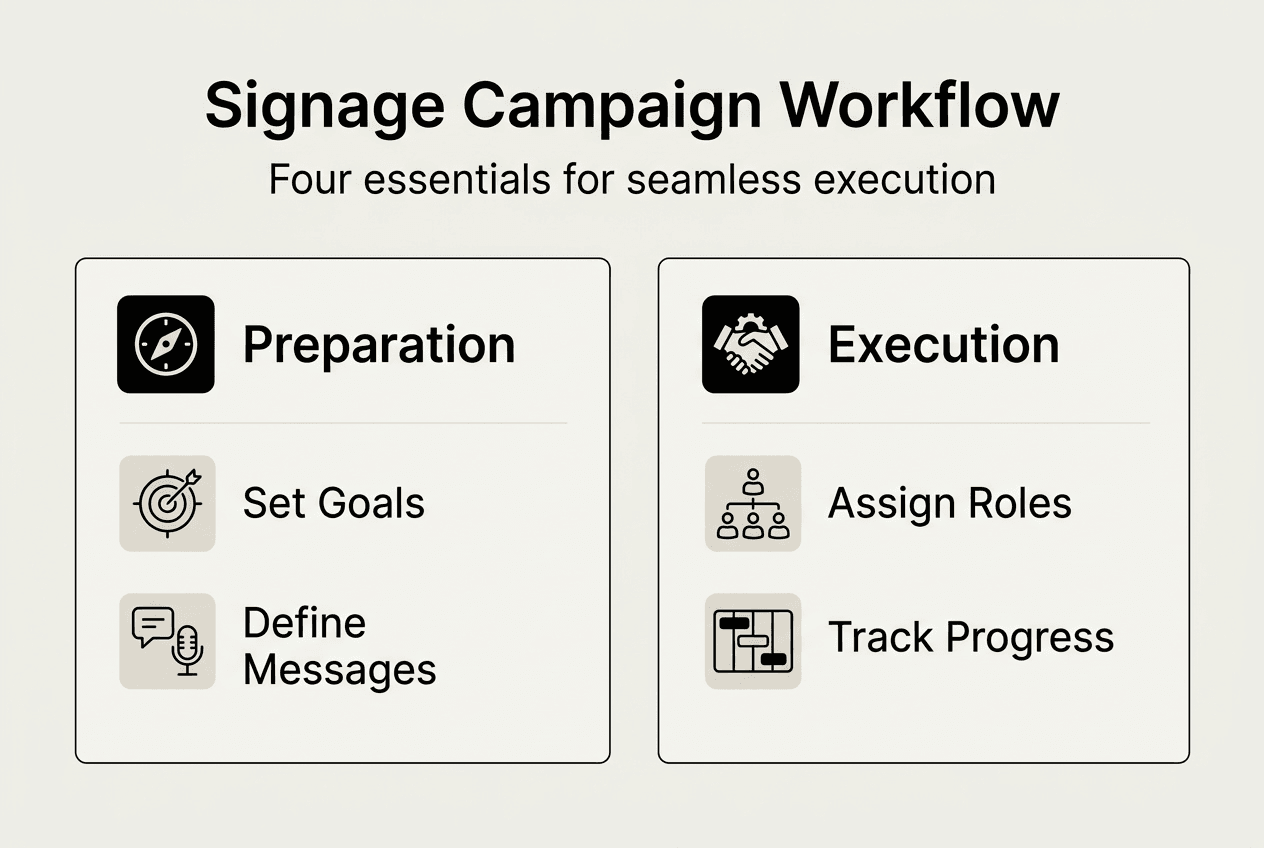
Use workflow management tools to track tasks, deadlines, and dependencies. A simple project management platform can show who is responsible for drafting copy, when designs need approval, and which vendor handles printing or installation. Set milestones for each campaign phase: initial concept, design completion, content approval, production, installation, and launch. Build in buffer time for revisions and unexpected delays.
Cross-functional coordination improves efficiency by ensuring marketing, operations, and vendor teams work in sync. For example, if your marketing team finalizes event signage content but doesn’t communicate installation timelines to the operations team, signs might arrive late or be placed incorrectly. Regular check-ins, shared calendars, and centralized communication channels prevent these breakdowns.
Establish an approval process that balances quality control with speed. Too many approval layers slow down execution, while too few risk off-brand or error-filled content going live. A typical workflow might include: content creator drafts, design team produces visuals, marketing manager reviews for brand alignment, legal or compliance checks if needed, and final sign-off from a campaign lead. Document this process so everyone knows the steps and expected turnaround times.
The table below outlines a sample timeline for a four-week signage campaign:
| Week | Key Tasks | Responsible Team |
|---|---|---|
| Week 1 | Finalize goals, messaging, and design concepts | Marketing, Design |
| Week 2 | Complete designs, obtain approvals, order production | Design, Stakeholders, Vendor |
| Week 3 | Production and quality checks, coordinate installation | Vendor, Operations |
| Week 4 | Install signage, launch campaign, begin performance tracking | Operations, Marketing |
Pro Tip: Schedule a pre-launch walkthrough or site visit to verify signage placement, visibility, and functionality before your campaign goes live. This simple step catches issues like obstructed sightlines, incorrect mounting, or technical glitches that could undermine your efforts. Refer to the event signage guide for placement best practices.
Track performance and optimize to maximize ROI
Launching your signage campaign is just the beginning. Performance tracking enables real-time optimization, allowing you to adjust content, placement, or messaging based on actual results rather than assumptions. Start by monitoring the KPIs you defined in your goal-setting phase. If your objective was increasing foot traffic, compare daily visitor counts before and after signage installation. For event campaigns, track registration spikes or booth visits tied to signage visibility.
Digital signage underperforms due to content issues and lack of monitoring, so schedule regular content reviews and updates. Stale messaging loses impact quickly. If you’re running a promotional campaign, refresh content weekly to highlight new offers or countdown timers. For evergreen brand campaigns, rotate visuals or testimonials monthly to maintain viewer interest.
Use AI and automation tools to streamline content updates and error detection. Modern digital signage platforms can automatically swap content based on triggers like time of day, weather conditions, or inventory levels. AI-powered analytics can identify underperforming content, suggest improvements, and even flag technical issues like display malfunctions before they impact your campaign. This proactive approach prevents the costly mistakes that come from a set-it-and-forget-it mentality.
Compare manual versus automated optimization to understand the efficiency gains:
| Approach | Update Frequency | Error Detection | Resource Requirement | Campaign Agility |
|---|---|---|---|---|
| Manual Optimization | Weekly or monthly | Reactive, after issues arise | High (staff time for monitoring, updates) | Low (slow to adjust to trends) |
| Automated Optimization | Real-time or daily | Proactive, flags issues instantly | Low (initial setup, occasional oversight) | High (rapid content adjustments) |
Collect qualitative feedback alongside quantitative metrics. Customer surveys, social media comments, and direct observations provide insights that numbers alone miss. Are people stopping to read your signs? Do they seem confused about where to go? Are they taking photos and sharing on social media? This feedback helps you refine messaging, design, and placement for future campaigns.
Pro Tip: Create a simple performance dashboard that consolidates your KPIs in one place. Whether it’s a spreadsheet or a dedicated analytics tool, having a single source of truth makes it easier to spot trends, share results with stakeholders, and make data-driven decisions quickly. Explore signage trends 2026 to see how emerging technologies can enhance your tracking and optimization capabilities.
Explore custom signage solutions tailored for your campaign
Now that you understand the strategic steps to plan a successful signage campaign, it’s time to bring your vision to life with high-quality, custom-made signs. Whether you need eye-catching face change signs for seasonal promotions or durable site signs for long-term brand visibility, professional signage solutions ensure your campaign stands out and delivers results. Request custom sign quotes to match your project budget and goals, and partner with experienced signage experts who understand the nuances of design, production, and installation. From initial concept to final installation, the right signage partner helps you execute campaigns that drive traffic, boost engagement, and maximize ROI.
Frequently asked questions about planning a signage campaign
How do I choose the right locations for my signage?
Consider high-traffic areas where your target audience naturally gathers or passes through, such as building entrances, event registration zones, or busy intersections. Match signage purpose with placement context: directional signs belong at decision points like hallways or parking lots, while promotional signs work best in high-visibility spots near points of sale or event stages. Use sight line analysis to ensure signs are visible from a distance and not obstructed by furniture, landscaping, or other structures. For detailed placement strategies, review property signage design principles that optimize visibility and engagement.
What is the best way to measure the ROI of a signage campaign?
Use defined KPIs like increased customer visits, sales lift, or event attendance tied directly to campaign timing and signage placement. Track baseline metrics before launch, then compare post-launch data to identify changes attributable to your signage. Leverage customer feedback through surveys asking how they heard about your business or event, and use analytics tools like foot traffic counters, QR code scans, or promo code redemptions linked to specific signs. Combining quantitative data with qualitative insights gives you a complete picture of campaign effectiveness and areas for improvement.
How often should I update content on my digital signage?
Update content regularly based on campaign goals, with dynamic campaigns requiring at least weekly refreshes to maintain viewer interest and relevance. ‘Set it and forget it’ content and lack of monitoring lead to outdated messaging that kills ROI, so schedule automatic content refreshes using digital signage software. For promotional campaigns, rotate offers, countdown timers, or featured products every few days. Evergreen brand content can be updated monthly with new visuals, testimonials, or seasonal themes. Use analytics to identify when content performance drops, signaling it’s time for a refresh.
What are common mistakes to avoid when planning a signage campaign?
Common signage mistakes include unclear goals, poor content readability, lack of monitoring, and insufficient team coordination. Setting unclear or no KPIs before campaign launch makes it impossible to measure success or optimize performance. Overcrowded signage content with too much text, clashing colors, or multiple calls to action confuses viewers and reduces effectiveness. A set-it-and-forget-it mentality causes outdated messages that damage credibility and waste budget. Poor workflow coordination between marketing, operations, and vendor teams leads to delays, installation errors, or off-brand content going live. Campaign management connects strategy to execution and prevents fragmented and chaotic marketing efforts, so invest time in planning, coordination, and ongoing optimization.