{
“@type”: “Article”,
“image”: {
“url”: “https://csuxjmfbwmkxiegfpljm.supabase.co/storage/v1/object/public/blog-images/organization-6408/1778689974616_Manager-reviewing-office-lobby-wayfinding-sign.jpeg”,
“@type”: “ImageObject”,
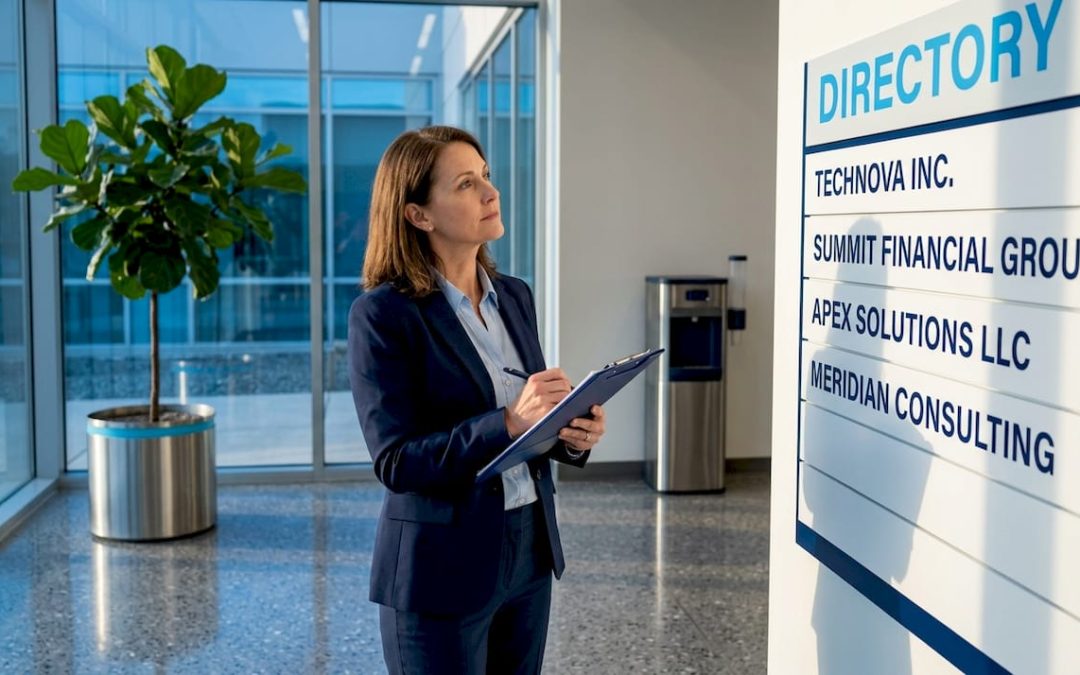
“caption”: “Manager reviewing office lobby wayfinding sign”
},
“author”: {
“url”: “https://customsignstoday.us”,
“name”: “Customsignstoday”,
“@type”: “Organization”
},
“@context”: “https://schema.org”,
“headline”: “Wayfinding signage guide for businesses and properties”,
“publisher”: {
“url”: “https://customsignstoday.us”,
“name”: “Customsignstoday”,
“@type”: “Organization”
},
“inLanguage”: “en-US”,
“description”: “Discover how a wayfinding signage guide can enhance navigation, reduce confusion, and elevate your brand in any space. Click to learn more!”,
“datePublished”: “2026-05-13T16:46:17.899Z”
}
TL;DR:
- Effective wayfinding signage is essential for visitor navigation, reducing confusion, and shaping first impressions. Proper planning, design, installation, and maintenance of signs ensure accessibility, consistency, and long-term functionality across various facilities. Incorporating digital solutions alongside physical signs prepares environments for future adaptability and improved user experience.
A visitor walks into your building, glances left and right, and sees nothing that tells them where to go. Within 30 seconds, they either stop someone for help or leave. This is the real cost of poor navigation, and it happens in facilities across every industry every single day. A practical wayfinding signage guide solves this before it starts. Good signage is not just about arrows and room numbers. It shapes first impressions, reduces staff interruptions, meets legal accessibility requirements, and quietly reinforces your brand every time someone moves through your space.
Table of Contents
- Understanding wayfinding signage: purpose, types, and key benefits
- Planning your wayfinding signage system: assessment and documentation
- Designing effective wayfinding signage: typography, color, placement, and accessibility
- Installing and maintaining wayfinding signage: standards, placement, and upkeep
- Leveraging digital and future-proof solutions in wayfinding signage
- Taking wayfinding signage beyond basics: lessons from experience
- Enhance your facility navigation with Custom Signs Today
- Frequently asked questions
Key Takeaways
| Point | Details |
|---|---|
| Clear signage improves navigation | Effective wayfinding signage reduces visitor confusion and enhances customer experience in your facilities. |
| Typography and contrast matter most | Choose legible sans-serif fonts with high contrast ratios to ensure signs are readable under varying conditions. |
| Plan carefully before designing | Assess your space, consult stakeholders, and document existing signage for informed wayfinding system development. |
| Installation must meet standards | Mount signs at ADA-compliant heights and maintain them regularly to guarantee ongoing accessibility and effectiveness. |
| Future-proof with adaptability | Incorporate digital elements and modular designs to keep your wayfinding system relevant and easy to update. |
Understanding wayfinding signage: purpose, types, and key benefits
To create effective signage, first understand its forms and the benefits they bring to your facility.
Wayfinding signage is a strategic communication tool that helps people navigate public spaces, covering directional, identification, informational, regulatory, monument, digital, and temporary signs. Each type plays a distinct role, and a well-functioning system uses all of them in coordination.
Here is a breakdown of the core sign types and where they earn their place:
- Directional signs point visitors toward destinations, exits, restrooms, or parking. These are the workhorses of any facility navigation system.
- Identification signs label rooms, departments, and areas so visitors confirm they have arrived at the right place.
- Informational signs provide context, such as hours of operation, facility rules, or building directories.
- Regulatory signs communicate legal requirements including fire exits, no-entry zones, and safety notices.
- Monument signs sit at building entrances and establish brand presence before anyone walks through the door.
- Temporary signs handle events, construction detours, or seasonal changes without requiring permanent installation.
The importance of wayfinding signage goes beyond convenience. Clear visual navigation signage reduces the cognitive load on visitors, meaning they spend less mental energy figuring out where to go and more time focused on why they came. For retail environments, that translates directly into longer dwell time and higher spending. For hospitals or office complexes, it reduces anxiety and improves staff efficiency. You can also explore wayfinding sign examples to see how different industries apply these types in practice.
Planning your wayfinding signage system: assessment and documentation
With a solid understanding of signage types and benefits, the next step is carefully planning to meet your facility’s unique navigation needs.
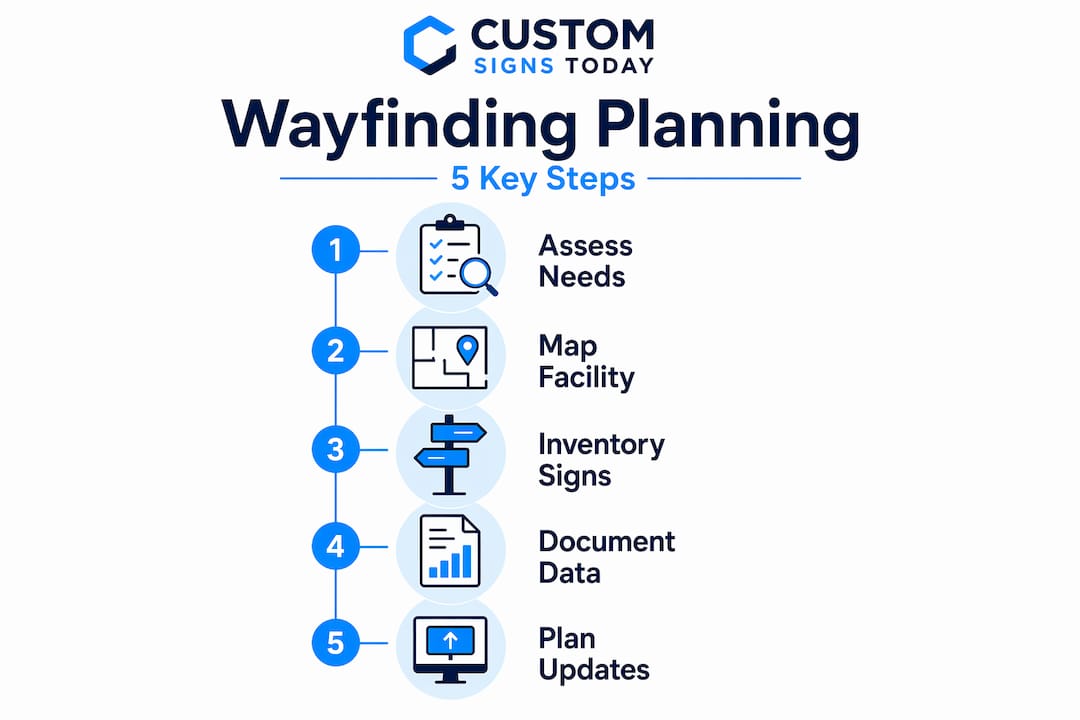
Effective wayfinding planning involves consulting stakeholders, documenting existing signage, and mapping key routes and decision points. Skip this phase and you will end up with signs that feel disjointed, miss critical locations, or duplicate information awkwardly.
Follow these steps to build your plan:
- Walk your facility as a first-time visitor. Enter from every public access point and note every moment you feel uncertain about where to go. These are your decision points.
- Gather input from staff and visitors. Front-desk staff know exactly which questions get asked most often. That knowledge is gold when you are placing signs.
- Inventory every existing sign. Record its message, size, condition, mounting method, and location. A simple spreadsheet works fine.
- Map primary and secondary routes. Identify the paths most visitors take and the destinations they most frequently seek.
- Flag problem zones. Intersections, elevator banks, parking transitions, and multi-building campuses are the spots where people get lost most often.
Once you have your map and inventory, document everything in a consistent format. This becomes your maintenance reference for years to come.
Here is a simple documentation structure to track existing signage:
| Sign ID | Location | Type | Message | Condition | Action needed |
|---|---|---|---|---|---|
| S-001 | Main lobby | Directional | “Reception →” | Good | None |
| S-002 | Elevator bank, floor 2 | Identification | “Suite 200-210” | Faded | Replace |
| S-003 | Parking entrance | Regulatory | “Staff only” | Damaged | Repair |
Building a smart signage strategy from documented data like this prevents expensive mistakes during fabrication and installation.
Pro Tip: Photograph every existing sign during your walk-through. Timestamped photos give you a before-and-after comparison and serve as legal documentation if compliance questions arise later.
Designing effective wayfinding signage: typography, color, placement, and accessibility
After planning, designing signage with these proven principles ensures your system communicates clearly and inclusively.
Typography is the foundation. Sans-serif fonts like Helvetica with a 7:1 contrast ratio improve legibility under varied lighting conditions. The x-height of a letter (the height of lowercase characters) directly affects readability at distance. A larger x-height means visitors can read your signs from farther away without squinting.
Color matters just as much. Test color palettes for color-blind safety and use matte finishes to reduce glare in real-world lighting. Roughly 8% of men and 0.5% of women have some form of color vision deficiency. A red-on-green color scheme that looks obvious to you may be completely illegible to a significant portion of your visitors.
Key design principles for user-friendly signage:
- Limit each sign to one primary message. Clutter kills comprehension.
- Use arrows that are universally understood, not stylized interpretations.
- Avoid multilingual text on signs and rely on ISO 7001 pictograms for universal clarity, preventing confusion across language barriers.
- Mount signs at eye level for standing users (approximately 60 inches center height) and ensure visibility for wheelchair users at lower sight lines.
- Align signage design with architectural aesthetics using timeless fonts and colors to ensure 10 or more years of relevance.
“The best wayfinding sign is the one a visitor never consciously notices because it simply guides them exactly where they need to go without friction.”
Accessibility is not optional. ADA compliance requires specific mounting heights, Braille on tactile signs, and non-glare finishes. You can find detailed guidance in our ADA sign guidelines resource, which covers the technical specifications your facility needs to meet.
Pro Tip: Before finalizing your design, print a mock-up at actual scale and tape it to the wall at the intended mounting location. Walk past it from 10, 20, and 30 feet. You will catch legibility and proportion problems that no screen preview reveals.
If you want a deeper look at the creative side, our guide on how to design wayfinding signs walks through these principles with visual examples.
Installing and maintaining wayfinding signage: standards, placement, and upkeep
Proper installation and ongoing maintenance guarantee your well-designed signage delivers consistent wayfinding benefits.
Signs must be mounted at heights complying with ADA and local standards, typically 48 to 60 inches for tactile signs to ensure accessibility for both standing and seated users. Getting this wrong is not just a compliance issue. It actively defeats the purpose of installing the sign in the first place.
Follow this installation sequence to avoid costly rework:
- Confirm final sign placements against your facility map before drilling a single hole.
- Check local building codes for any requirements beyond ADA minimums. Some municipalities have stricter rules for fire exits and emergency signage.
- Install overhead signs first. These require the most structural planning and set the visual hierarchy for the entire system.
- Mount wall signs at ADA-required heights, with tactile characters between 48 and 60 inches above finished floor.
- Test visibility from multiple approach angles before calling any installation complete.
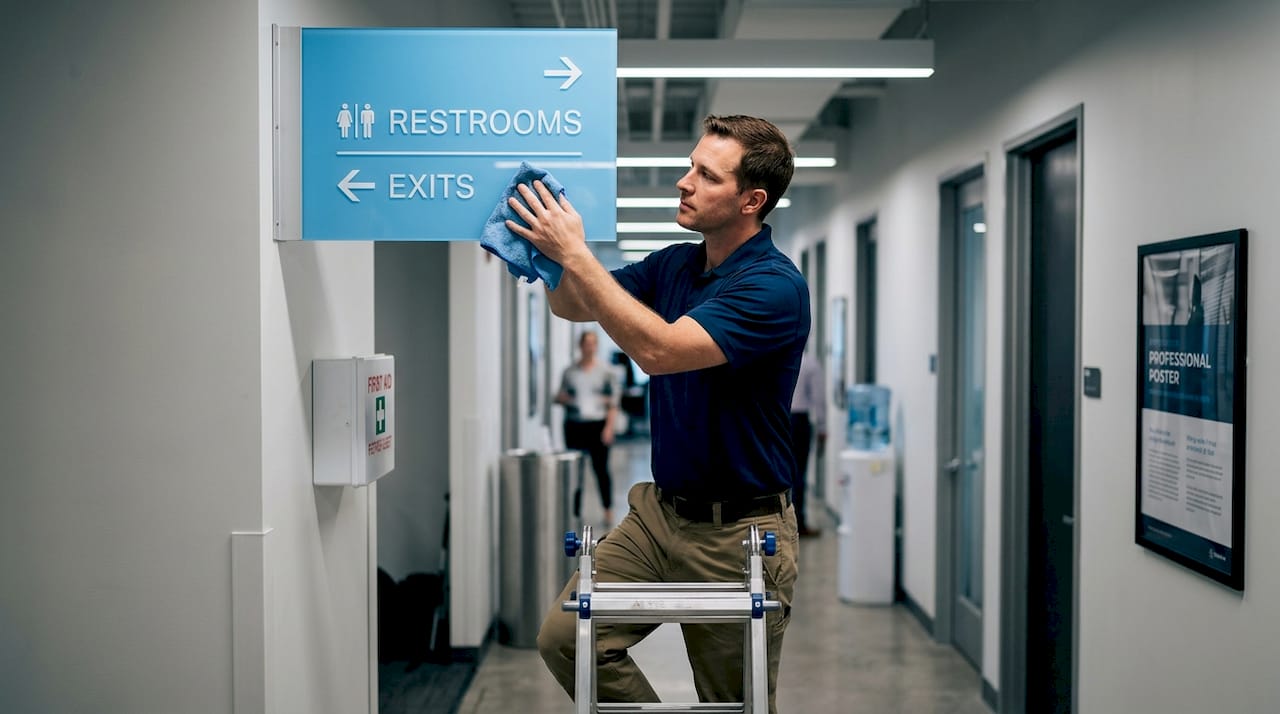
Maintenance is where most signage investments quietly deteriorate. Routine inspection and maintenance of signage prevent deterioration, misalignment, and ADA violations that can result in fines or liability.
Your maintenance checklist should cover:
- Monthly visual checks for physical damage, fading, and loose mountings.
- Quarterly message audits to confirm signs still reflect current room assignments, tenants, and routes.
- Annual compliance review against current ADA standards, especially after any facility renovation.
- Cleaning schedule appropriate for sign material (acrylic, aluminum, vinyl, and others require different cleaning methods).
“A damaged or outdated sign is worse than no sign at all. It actively misdirects visitors and signals that your facility is not well managed.”
For a complete breakdown of what the installation process involves, see our guide on the signage installation process. And if your facility uses corridor directional signage, our resource on directional door signs covers placement specifics for that application.
Pro Tip: Build a digital maintenance log with photos tied to each sign’s ID from your original inventory. When a sign needs replacement, you already have its exact specs on record and can reorder without measuring or guessing.
Leveraging digital and future-proof solutions in wayfinding signage
Combining traditional signs with smart, adaptable solutions prepares your facility for evolving wayfinding needs.
Digital signage adds dynamic updates and auditory cues supporting ADA compliance without replacing tactile signs. Touchscreen kiosks at building entrances, for example, allow visitors to search for a specific suite or department and get a printed or on-screen map. This is particularly valuable in large office buildings, medical campuses, and shopping centers where destinations change frequently.
What digital tools do well in a wayfinding context:
- Real-time updates for construction detours, temporary closures, or event-specific routing.
- Multilingual audio support that supplements your ISO pictogram-based physical signs.
- Interactive directories that reduce front-desk interruptions for large facilities.
- Wayfinding analytics that track which routes visitors use most, informing future signage placement decisions.
Wayfinding signage systems should be designed for adaptability with modular panels and tamper-resistant elements for easy updates and long-term use. When a tenant moves or a department relocates, a modular sign system lets you swap individual panels rather than replacing entire sign assemblies. That alone can save thousands of dollars over a five-year period.
If you want to stay ahead of what is coming, our overview of signage trends 2026 covers emerging technologies shaping how facilities communicate with visitors.
Pro Tip: When specifying digital displays, choose commercial-grade screens rated for 16 to 24 hours of daily operation. Consumer-grade TVs fail quickly in high-usage environments and create more maintenance problems than they solve.
Taking wayfinding signage beyond basics: lessons from experience
Most wayfinding projects fail at the same predictable points. Not because the signs are ugly or the budget is too small. They fail because the people commissioning them treat signage as a one-time purchase rather than a communication system that needs to be maintained, tested, and evolved.
The single most common mistake we see is overcomplicating signs with too much text. Every word added to a sign reduces the speed at which a visitor processes it. When someone is moving through a busy corridor, they have roughly two seconds to read and act on a sign. If it takes four seconds to read, they have already passed it. Wayfinding systems explained simply outperform elaborate ones every time.
Consistency is the other underrated factor. Signs that look slightly different from floor to floor, or use different arrow conventions between buildings, force visitors to mentally re-learn the system at every transition. That cognitive friction accumulates. By the third floor, a visitor who arrived confident is now frustrated. Building intuitive navigation means repeating the same visual language so reliably that your signs become invisible guides.
Brand integration is where creating effective wayfinding gets interesting. Your signage is a physical extension of your brand. The typeface, color palette, and material finish of your signs should feel like the same hand that designed your logo and interior. Trendy designs often fail legibility after 2 to 3 years, while timeless fonts and colors aligned with architecture ensure 10 or more years of relevance. Chasing what looks current in 2026 is a short-term decision. Choosing what looks permanent is a long-term investment.
Plan for change from day one. Facilities evolve. Tenants come and go. Departments reorganize. If your signage system cannot accommodate updates without full replacement, you are setting up a significant future cost. Modular systems, documented specs, and a clear update protocol are not over-engineering. They are the difference between a signage investment that pays off for a decade and one that needs replacing in three years. Our guide on how to design property signage explores how to build that kind of long-term thinking into the design phase.
Enhance your facility navigation with Custom Signs Today
Putting this wayfinding signage guide into action requires a partner who handles design, fabrication, and installation as one integrated process, not three separate vendors pointing fingers at each other.
At Custom Signs Today, we work with business owners and property managers to build signage systems that are ADA-compliant, brand-aligned, and built for the long term. Whether you need durable exterior lightbox signs that establish your facility’s presence from the street, or site signs that guide visitors from arrival to destination, we design and fabricate every component to your exact specifications. Our team eliminates the coordination headaches that come from working with multiple vendors. One call gets you the full system.
Frequently asked questions
How do I calculate the right sign size for my business facility?
Determine the farthest viewing distance and apply the formula: minimum x-height in mm equals viewing distance in meters multiplied by 2.5. This gives you the smallest text height that remains legible from that distance.
Should I include multiple languages on wayfinding signs in my facility?
Avoid multilingual text on signs whenever possible. Use ISO 7001 pictograms instead, as multiple languages reduce scannability and can confuse a significant portion of users who process signs quickly while moving.
What is the recommended mounting height for ADA-compliant tactile signs?
ADA requires tactile signs to be mounted with the lowest tactile character at 48 inches and the highest at 60 inches above the finished floor, ensuring accessibility for both standing users and wheelchair users.
How often should wayfinding signage be inspected and maintained?
Monthly checks are recommended to identify damage, cleaning needs, and outdated information. Annual compliance reviews should also be conducted, especially after any facility renovation or tenant change.
Can digital wayfinding solutions replace physical signage?
No. Digital signage works alongside tactile signs rather than replacing them. It provides dynamic updates and auditory cues that complement ADA-compliant physical signage but cannot substitute for mandatory tactile elements.